

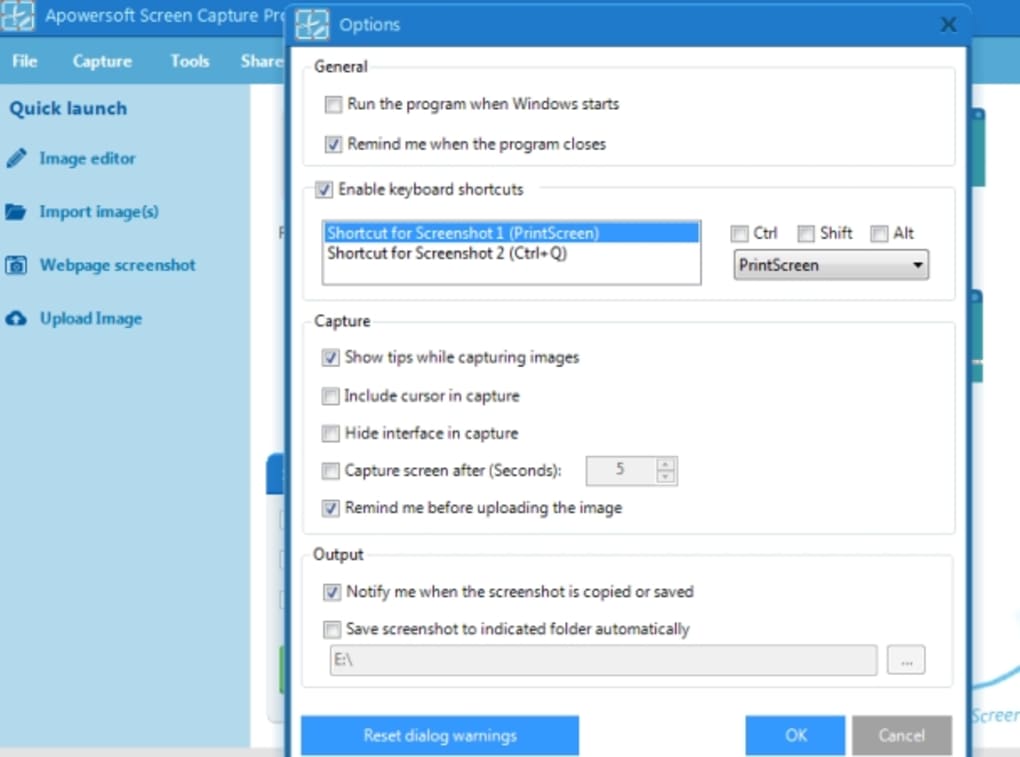
Description
Download Apowersoft Screen Capture Pro – Free, Secure Screen Capture & Editing Tool for Windows, Mac, Android, iOS
Apowersoft Screen Capture Pro is a powerful screen capture and editing software designed for users who need reliable tools to capture, annotate, and share screenshots and screen recordings. Whether you're creating tutorials, documenting bugs, or sharing content with colleagues, this software delivers solid performance across Windows, Mac, Android, and iOS platforms. With support for full-screen, window, and region-based captures, along with advanced editing features like text, arrows, shapes, and blur tools, Apowersoft Screen Capture Pro ensures you can produce professional-quality visuals. The Pro version enhances the free edition with screen recording, scheduled captures, and cloud upload options, making it ideal for both casual and professional users. While the interface may feel outdated compared to modern alternatives, its core functionality remains strong, offering a secure and efficient way to manage your screen capture tasks.
Key Features of Apowersoft Screen Capture Pro
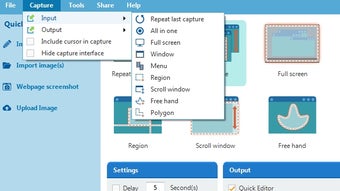
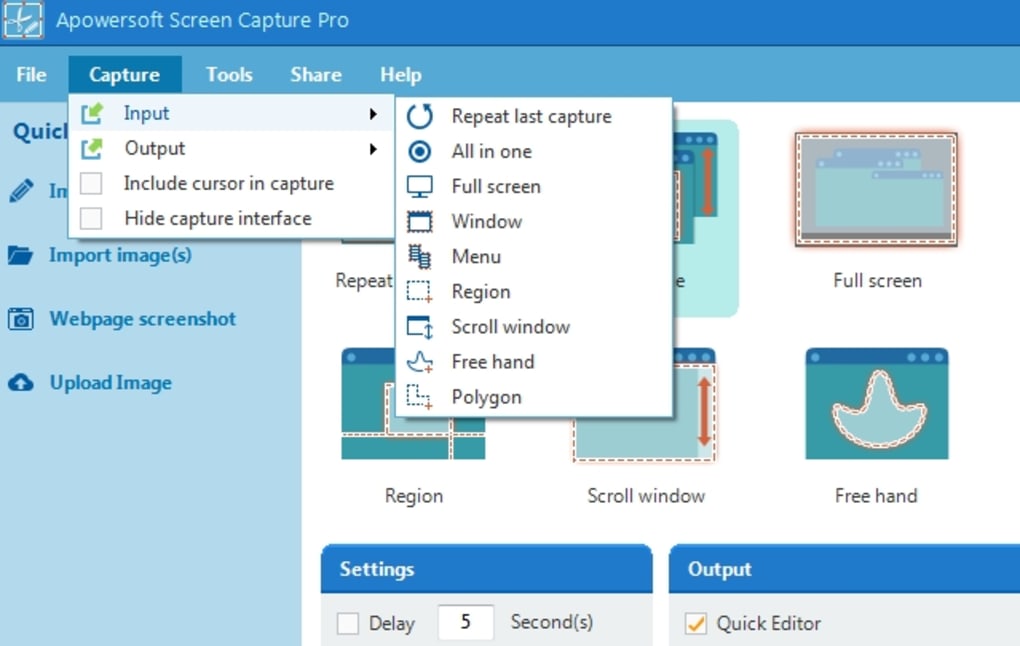
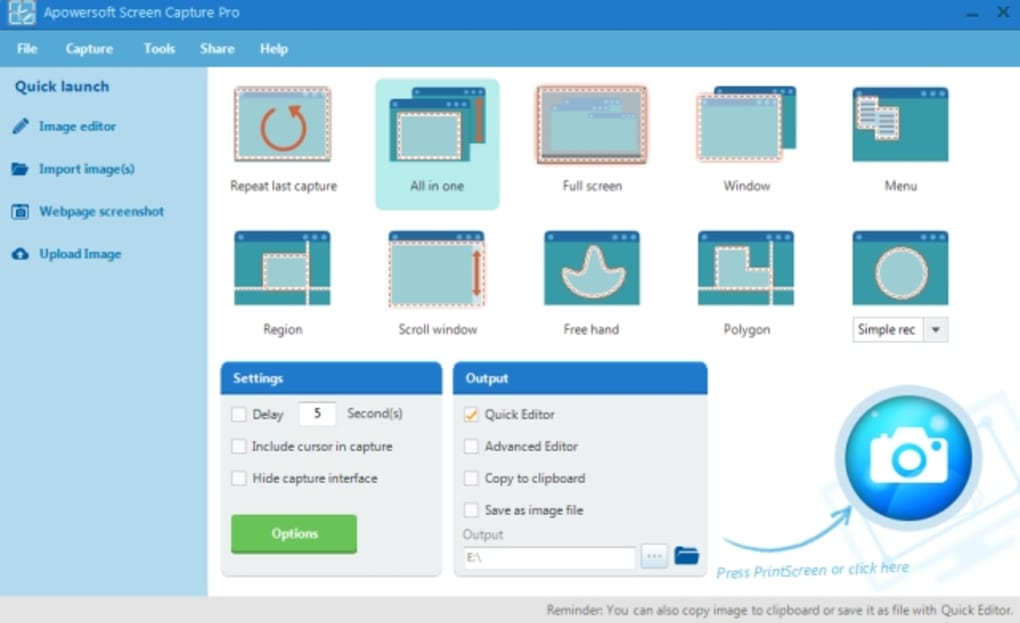
Apowersoft Screen Capture Pro stands out as a versatile screen capture tool with a comprehensive set of features tailored for both beginners and advanced users. One of its most notable strengths is the variety of capture modes it supports. Users can effortlessly capture the entire screen, a specific window, or a custom region with precision, ensuring that only the relevant content is recorded. This flexibility makes it ideal for creating step-by-step guides, troubleshooting software issues, or capturing game moments.
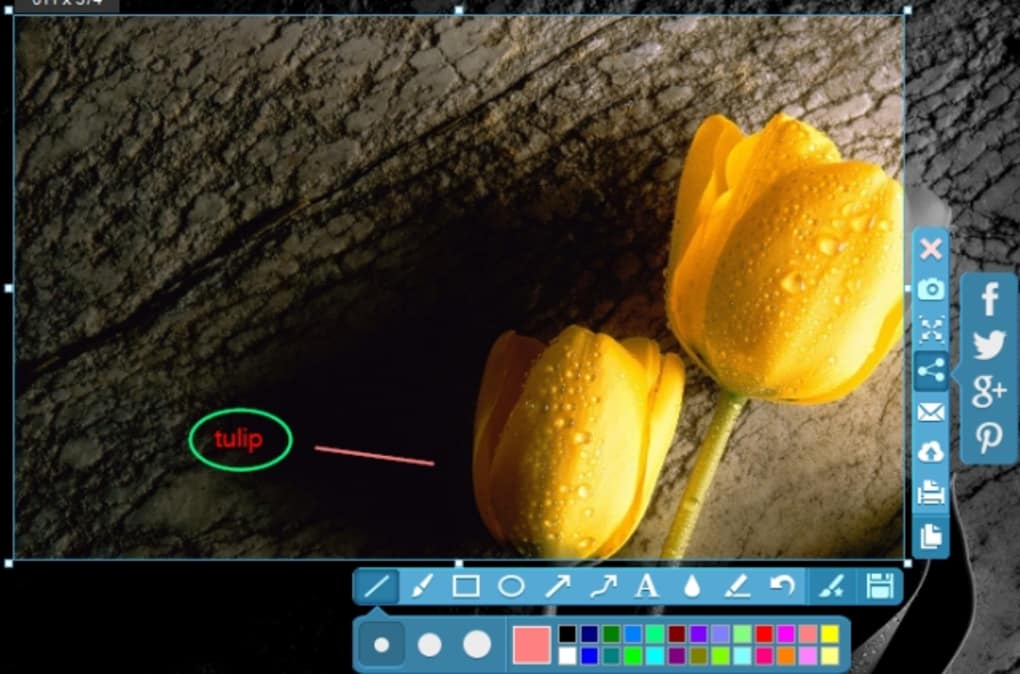
The software also includes a built-in editor that allows real-time annotation. You can add text, draw lines, insert arrows, and apply shapes to highlight important areas. For privacy-sensitive content, the blur tool is a valuable addition, allowing you to obscure sensitive information before sharing. The editing interface is intuitive, with a clean toolbar that makes it easy to apply effects without switching between multiple menus.
Another major advantage is the screen recording functionality. Unlike the free version, the Pro edition enables users to record their screen in high quality, with options to capture audio from the microphone or system sound. This makes it perfect for creating video tutorials, online presentations, or recording gameplay. Scheduled captures are another unique feature—users can set the software to automatically capture the screen at specific intervals, which is useful for monitoring system performance or capturing time-lapse content.
For those concerned about storage space or data privacy, Apowersoft offers a cloud upload option. Captured files can be securely uploaded to Apowersoft’s cloud service, eliminating the need to store large files locally. This feature is especially beneficial for remote teams or users with limited disk space. Additionally, the software supports direct sharing to social media platforms, email, or cloud storage services, streamlining the workflow from capture to distribution.
Installation & Usage Instructions
Downloading and installing Apowersoft Screen Capture Pro is a straightforward process that takes just a few minutes. Begin by visiting the official Apowersoft website and navigating to the download section. Choose the appropriate version for your operating system—Windows, Mac, Android, or iOS. The download file is typically small, under 50MB, ensuring a quick transfer even on slower connections.
Once downloaded, run the installer and follow the on-screen prompts. The setup wizard will guide you through the installation, asking you to choose the installation directory and create desktop shortcuts. No complex configurations are required, making it beginner-friendly. After installation, launch the software and sign in with your Apowersoft account or use the trial version without registration.
Upon opening, you’ll be greeted by the main interface, which, while slightly dated, is functional. Click on the capture mode button to select full screen, window, or region capture. For screen recording, switch to the recording tab and choose audio input (system sound or microphone). You can also set up scheduled captures under the “Schedule” tab, defining time intervals and capture types.
After capturing, the built-in editor appears automatically. Use the toolbar to add annotations, crop images, or apply filters. Once satisfied, click “Save” to store the file locally or “Share” to upload to cloud services or social platforms. The software also supports batch processing, allowing you to capture and edit multiple screenshots in one session.
Regular updates are released to improve performance, fix bugs, and enhance security. To ensure you’re using the latest version, go to “Help” > “Check for Updates” within the software. Keeping Apowersoft Screen Capture Pro updated ensures optimal compatibility and access to new features.
Compatibility & System Requirements
Apowersoft Screen Capture Pro is designed to be highly compatible across major platforms, making it a versatile choice for users on different devices. The software supports Windows 7 and later, including Windows 10 and Windows 11, ensuring broad accessibility for desktop users. On macOS, it runs smoothly on macOS 10.12 (Sierra) and above, including the latest Apple Silicon Macs with native M1/M2 support.
For mobile users, the Apowersoft Screen Capture Pro app is available for both Android and iOS, allowing you to capture screenshots and screen recordings directly from your smartphone or tablet. The mobile version syncs seamlessly with the desktop app via your Apowersoft account, enabling cross-device workflows. This is particularly useful for content creators who need to capture mobile app behavior and edit it on a larger screen.
System requirements are modest, which means the software runs efficiently even on older or low-end machines. For Windows and Mac, a minimum of 2GB RAM and 500MB of free disk space is recommended. A stable internet connection is required for cloud uploads and updates. The software does not require a powerful GPU, making it accessible for users with budget hardware.
Additionally, Apowersoft ensures secure data handling. All captured files are encrypted during upload, and users have full control over what gets stored in the cloud. The software complies with GDPR and other privacy standards, making it a trustworthy option for both personal and business use. Whether you're using a Windows laptop, Mac desktop, Android phone, or iPhone, Apowersoft Screen Capture Pro delivers consistent performance and reliability.
Pros and Cons
Pros
- Multiple capture modes – Full screen, window, and region capture for precise control.
- Advanced editing tools – Add text, arrows, shapes, blur, and crop with ease.
- Screen recording with audio – Capture both video and sound for tutorials and presentations.
- Scheduled captures – Automate screen captures at set intervals.
- Cloud upload & sharing – Securely store and share files without local storage strain.
- Cross-platform support – Works seamlessly on Windows, Mac, Android, and iOS.
- Regular updates & security – Ongoing improvements and compliance with privacy standards.
Cons
- Outdated interface – The design feels dated compared to modern competitors like Snagit or SnapShot.
- Learning curve for new users – Some features are buried in menus, making them hard to discover.
- Cloud storage limited in free tier – Free users get limited cloud space; Pro plan required for full access.
- Not ideal for video editing – While it records screen, advanced video editing is not included.
- Performance lag on older systems – Some users report minor delays during recording on low-end machines.
Frequently Asked Questions (FAQ)
- Is Apowersoft Screen Capture Pro free to download?
-
Yes, Apowersoft Screen Capture Pro offers a free trial version with full access to all features. However, to unlock advanced functionalities like screen recording, scheduled captures, and cloud storage, a paid subscription is required.
- Can I use Apowersoft Screen Capture Pro on both Windows and Mac?
-
Absolutely. The software is fully compatible with Windows 7 and later, as well as macOS 10.12 and above, including Apple Silicon Macs. You can use it across both platforms with a single account.
- Does Apowersoft Screen Capture Pro support screen recording?
-
Yes, the Pro version includes full screen recording capabilities with audio capture from both the microphone and system sound. It’s perfect for creating video tutorials, webinars, or gameplay videos.
- How secure is the cloud upload feature?
-
Apowersoft uses end-to-end encryption for all cloud uploads. Your files are protected with secure authentication, and you maintain full control over access and deletion. The platform complies with GDPR and other international privacy standards.
- Can I edit screenshots after capturing them?
-
Yes, the built-in editor allows you to annotate screenshots with text, arrows, shapes, blur tools, and more. You can also crop, resize, and apply filters before saving or sharing.
Conclusion & Call to Action
Apowersoft Screen Capture Pro is a reliable and feature-rich screen capture tool that delivers solid performance across multiple platforms. While its interface may feel outdated compared to modern alternatives like Snagit or Movavi, its core capabilities—multi-mode capture, advanced editing, screen recording, and cloud integration—make it a strong contender for users who prioritize functionality over aesthetics.
If you're looking for a secure, cross-platform solution to capture and share screen content, Apowersoft Screen Capture Pro is worth considering. It’s especially beneficial for educators, remote workers, and content creators who need a dependable tool for tutorials, documentation, and presentations.
For the best experience, we recommend downloading the free trial to test its features firsthand. If you find it meets your needs, upgrading to the Pro version unlocks powerful tools like scheduled captures and unlimited cloud storage. Don’t miss out—download Apowersoft Screen Capture Pro today and take control of your screen capture workflow.
Guides & Tutorials for Apowersoft Screen Capture Pro
How to install Apowersoft Screen Capture Pro
- Click the Preview / Download button above.
- Once redirected, accept the terms and click Install.
- Wait for the Apowersoft Screen Capture Pro download to finish on your device.
How to use Apowersoft Screen Capture Pro
This software is primarily used for its core features described above. Open the app after installation to explore its capabilities.
User Reviews for Apowersoft Screen Capture Pro 0
No reviews found





